


Draft Dominator
4.0141.00 Reviews
App Specs
- Version
- 2026.3
- Updated On
- License
- Free
- Downloads
- 10,000+
- Developer
- Footballguys
- Categories
- Sports
- Platform
- Android
Screenshots
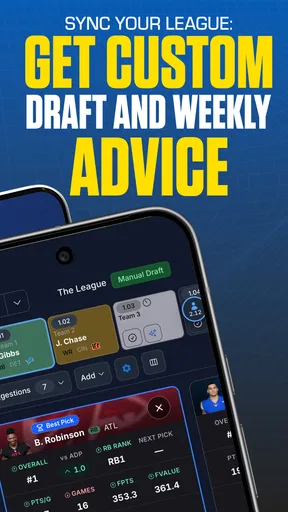
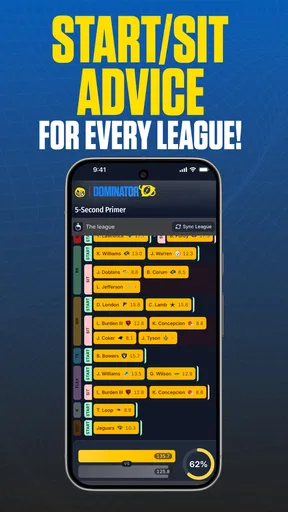
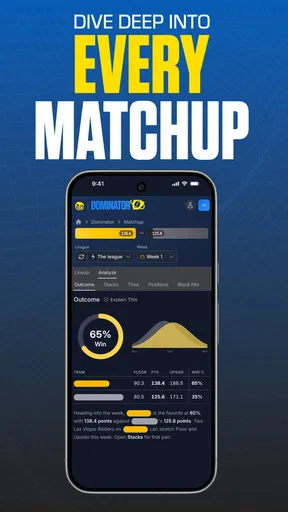
 Analysis by AppCompare
I usually judge a fantasy football tool by what happens when the draft clock is running, not by how impressive its feature list sounds. Draft Dominator is built for that pressured moment: it helps me organize player choices, react to the room, and keep a draft plan usable when other managers start changing the shape of the board. It is a free sports app from Footballguys, with optional in-app purchases ranging from around thirteen dollars to around ninety dollars per item.
My first impression is that this is not trying to be a casual football news reader. Its purpose is narrower and more practical. I would open it before a fantasy draft, prepare my approach, and then use it as a working reference while picks are being made. That focus is its main strength. It also means that someone looking for live game entertainment, general NFL news, or a simple score tracker may find the experience too specialized.
The app has an average rating of 4.0 from around 650 ratings, and it has passed the ten-thousand-install mark. Those figures suggest a real audience without making it look like a universal fantasy platform. I see it as a tool for people who want more structure than a handwritten list but do not necessarily want to build their entire fantasy routine around a large all-purpose sports app.
How I would use it in a shared household
A realistic use case is a home where two people follow fantasy football, but only one person is drafting at a time. I might prepare on a tablet at the kitchen table while another household member uses the same device for something else, then return to the app shortly before the draft. In that setting, the value is not only the player information. It is having a dedicated workspace that keeps draft thinking separate from the usual stream of notifications and entertainment apps.
That shared-device scenario also exposes an important boundary: I would not treat the app as a household account-management system. A shared tablet can be convenient, but the person using it should know whose draft plan is open and whose decisions are being made. I would avoid assuming that one setup automatically represents several leagues or several managers. Before draft day, I would check the active configuration and make sure the right person is using the right plan.
This matters because fantasy football decisions are personal. One manager may prefer to chase upside, while another wants a safer weekly floor. If two people prepare on the same device without checking the current context, the problem is not that the app has made a bad recommendation; it is that the wrong draft assumptions may be in front of the user. My practical advice is simple: use separate preparation routines, review the setup before the draft, and do not rely on memory after switching between household users.
I also would not hand the app to a child as an unsupervised sports game. The content rating is Everyone, which makes it broadly suitable from an age-rating perspective, but fantasy drafting still involves judgment, competition, and sometimes paid extras. A younger family member could explore it with an adult, especially if the goal is learning how roster construction works. I would keep purchasing decisions with the adult who owns the device or account.
Worth Reading Before You Choose

Baby Panda World Brings Quick Play to Modern Phones, but Its Game Library Feels Busy

ESPN’s Live Game View Makes Following Close Games Easier

QuizzLand Review: A Good Fit for Short Trivia Breaks, Not Every Player

Basketball Stars: Multiplayer Is Fast, but Can It Recover When Matches Go Wrong?

WEBTOON Turns Phone Updates Into a Better Reading Routine

Link to Windows Runs on Shared Habits, Not Social Feeds
Preparing without turning the draft into homework
The best way to approach Draft Dominator is to do a small amount of preparation before the live event. I would not wait until the first pick to discover how the app is organized. Instead, I would open it earlier, look through the available draft information, and decide what I actually want to monitor. That reduces the temptation to tap through every option while the clock is moving.
One useful habit is to create a short personal priority list outside the app before opening the draft workspace. I might identify positions where I want early strength, positions where I am comfortable waiting, and a few players I would avoid at an uncomfortable price. The app can then support my decisions rather than replacing them. This is a meaningful distinction: a draft assistant is most useful when it helps me compare choices, not when I blindly follow a changing screen.
I would also prepare for interruptions. In a household, someone may ask a question, a child may need help, or the device may be needed for another task. Before stepping away, I would note the current pick and my next two or three priorities. That small pause prevents me from returning and making a rushed choice simply because I lost track of the draft.
The app runs on Android versions beginning with 6.0, so it can fit comfortably into an older-device household where a newer phone is not available. That is helpful for accessibility, although an older device may feel less comfortable during a fast draft than a larger, more responsive screen. I would favor a tablet or a phone with enough display space to read player information quickly, while remembering that the app’s usefulness depends more on preparation than on having premium hardware.
Where it helps during a live draft
During a draft, I want three things from a tool: a clear view of the player pool, a way to compare my current options, and enough context to avoid making a panic pick. Draft Dominator is most valuable in that middle space between a static cheat sheet and a full manual spreadsheet. A printed list tells me what I thought earlier; a live draft tool gives me a place to reassess as the room changes.
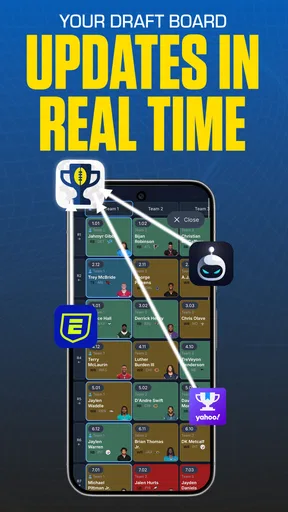
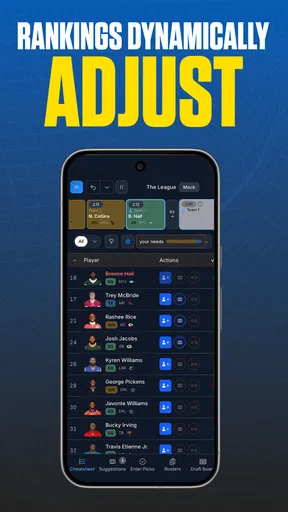
My preferred workflow would be to check the available choices, compare them with my roster needs, and then use the app as a second opinion. If several managers suddenly select one position, I would not automatically copy them. I would ask whether the remaining alternatives are becoming scarce or whether the room is simply creating an opportunity elsewhere. The app is useful here because it keeps the decision anchored in the draft rather than in a single emotional reaction.
A less obvious benefit is that it can help me recognize when my original plan has become unrealistic. Fantasy managers often enter a draft intending to wait on a position, only to discover that the value disappears faster than expected. I would rather adjust deliberately than stubbornly follow a rule I made before seeing the room. That kind of flexibility is one of the strongest reasons to use a draft-specific app.
There is a trade-off, though. More information can slow me down if I have not decided how to interpret it. A manager who opens every available detail for every player may create analysis paralysis. I would keep the app focused on the immediate decision and use deeper research before the draft, not during every pick. In my experience, the best draft tool is not the one that makes me read the most; it is the one that helps me make a confident choice quickly.
Coordinating with league mates and household users
Draft tools work best when everyone understands that the app is supporting one manager’s process, not acting as the league commissioner. If I were drafting while another household member watched, I would explain the basic plan in plain language: which positions I am prioritizing, which players I am considering, and what would make me change direction. That turns the app into a conversation aid instead of a mysterious screen full of names.
I would also avoid sharing a device in the middle of a pick unless the other person understands that even a small tap can change the flow of the session. For a family learning fantasy football together, a better routine would be to review the app before the draft, discuss the choices, and let the actual drafter make the final call. This keeps responsibility clear and avoids arguments about who changed the plan.
For leagues with friends or coworkers, the app should be treated as a private preparation tool rather than a promise that everyone sees the same advice. Different league formats can change the value of players, and a manager’s settings or strategy may not match someone else’s. I would never assume that a recommendation is transferable without checking the league rules and roster requirements first.
This is also where ordinary alternatives still have a place. A spreadsheet is easier to customize and share, especially when several people want to add notes. A printed cheat sheet is faster to glance at and never needs charging. A general fantasy platform may be more convenient for league management, transactions, and weekly lineup decisions. Draft Dominator makes more sense when the main challenge is preparing for and navigating the draft itself.
Account boundaries, purchases, and trust
The app is free to install, which makes it easy to try before committing to a draft routine. Optional purchases are available, with individual items priced from around thirteen dollars to around ninety dollars. Because a shared household may have several people using the same device, I would discuss any purchase before tapping through it. The adult responsible for the store account should make the decision, especially if a younger user is exploring the app.
I would also separate “free to start” from “free for every possible use.” The free entry point is useful for evaluating whether the workflow suits me, but paid options can change the overall cost of relying on the app. Before buying anything, I would ask whether it solves a specific problem in my draft preparation or merely adds more information. If I cannot name the decision it will improve, I would wait.
Trust is important because fantasy tools can sound authoritative even when the final choice remains mine. I would use the app to organize evidence and expose alternatives, not to remove responsibility from the manager. A player may look attractive in one context and less useful in another because of roster settings, league scoring, or personal risk tolerance. The app can support judgment, but it cannot know the emotional dynamics of my league or whether my opponents are behaving unusually.
That limitation is especially relevant in a shared home. A parent may want a child to learn from the process, while an adult manager may want to protect a carefully prepared draft. I would create a clear role for each person: observer, learner, or decision-maker. Keeping those roles separate makes the experience more enjoyable and prevents a family argument from being blamed on the tool.
Age context and the right level of independence
With an Everyone content rating, the app is approachable for a broad audience. Still, age suitability and fantasy expertise are different questions. A child can understand the basic idea of selecting players, but may not understand why a paid option costs real money or why a draft choice affects the rest of a roster. I would introduce it as a learning exercise, not as a game of chance or a guaranteed path to winning.
For teenagers, it could be a useful way to practice planning, comparison, and adapting to changing information. I would encourage them to explain why they prefer one player over another instead of simply accepting the first suggestion on screen. That conversation creates a healthier habit: the app becomes a prompt for reasoning rather than an answer machine.
Adults who are new to fantasy football may benefit from the same approach. I would start with one league and one draft plan, then review what worked afterward. A beginner does not need to understand every possible strategy at once. The useful lesson is learning how early decisions affect later flexibility, how roster needs change, and why leaving room to adapt is better than following a rigid script.
Experienced managers may appreciate the speed and structure, but they are also more likely to notice where the app does not match their personal system. If I already maintain a detailed spreadsheet, custom rankings, and a reliable note-taking method, Draft Dominator has to save time rather than duplicate work. In that case, I would use it only if its draft-oriented workflow is faster than maintaining my existing setup.
Technical fit and everyday friction
The current version is 2026.3, and the app’s Android requirement begins at version 6.0. That combination makes it practical for many Android users, including people who keep an older phone as a household backup. I would still test it on the actual device before draft day, because compatibility on paper does not guarantee that a particular older screen or battery will be comfortable during a long session.
The main friction is cognitive rather than technical. A draft is already noisy, and an app can add to that noise if I treat every displayed option as equally important. I would prepare a simple decision order: first check roster needs, then compare the realistic candidates, then make the pick. This prevents me from endlessly scrolling through players who are not relevant to the current turn.
I would also keep a backup plan. Even with a dedicated draft app, a basic written note with my roster priorities is sensible. That is not a criticism of this particular product; it is good draft hygiene. Phones can become unavailable, household interruptions happen, and no single screen should carry the entire responsibility for a league that I care about.
Another practical point is screen sharing. If several people are watching, a larger device is easier for discussion, but a private phone may be better when I do not want every preference visible to the room. In a competitive league, coordination with family members should not accidentally become public disclosure to opponents. I would choose the device and seating position based on whether I want collaboration or privacy.
Who should choose it, and who should skip it
I would recommend Draft Dominator to a fantasy manager who wants a focused draft companion, enjoys making decisions from organized information, and is willing to prepare before the event. It is particularly suitable for someone moving beyond a basic printed list but not ready to maintain a complex custom system. It can also work well for a household where one person drafts and another person wants to understand the process without taking control.
I would be more cautious if the main need is weekly lineup management, league messaging, score tracking, or general football coverage. A broader fantasy platform may be the better everyday home for those tasks. Likewise, a manager who wants complete control over custom rankings and shared notes may prefer a spreadsheet. The choice depends on whether the draft is the central problem to solve.
I would also skip it if I am likely to follow recommendations without checking my league’s settings. No draft assistant can make a generic plan perfectly fit every scoring system. I would confirm the league format first and treat the app as guidance. That one step prevents a polished-looking plan from becoming irrelevant to the actual competition.
For a casual family activity, the app may be more serious than necessary. A simple discussion around a printed player list can be friendlier for young children or people who do not want to learn a specialized interface. On the other hand, if the household enjoys strategy and wants a structured way to talk through decisions, this app gives that conversation a useful center.
My household verdict
After looking at it as both a draft tool and a shared-device app, I see Draft Dominator as a focused companion rather than a complete fantasy football universe. I like that it encourages preparation, makes changing plans easier, and gives a manager something more responsive than a static list. Its free starting point lowers the barrier to testing the workflow, while the optional purchases mean I would still make a deliberate decision before expanding what I use.
The most important advice I can give is to establish boundaries before draft day. Decide whose league is open, who is making the picks, whether a child is observing or participating, and whether any paid option has been approved. Those steps are not flashy, but they prevent the most common shared-household confusion.
For my own use, I would install it on the device I plan to draft with, prepare a short personal strategy, check the league settings, and use the app to compare realistic choices rather than chase every piece of information. I would keep a simple backup note and avoid turning the draft into a group debate unless everyone understands who has final responsibility.
My recommendation is positive but specific: choose it if you want a dedicated sports app for draft preparation and live decision support. Choose a broader fantasy platform or a customizable spreadsheet if your needs extend well beyond the draft. Used with clear account boundaries and sensible expectations, it can make a tense fantasy football session feel more organized without pretending that software can replace the manager’s judgment.
Pros
- Helps identify draft priorities before matches begin.
- Supports quick comparisons between potential picks.
- Useful for testing different team compositions.
- Can improve consistency in drafting decisions.
- Simple format makes it accessible to newer players.
Cons
- Recommendations may not reflect the latest balance changes.
- Limited value for players who prefer fully manual drafting.
- Requires game knowledge to interpret some suggestions.
- Unfamiliar users may need time to understand the interface.
- Results can vary depending on the selected draft scenario.
FAQs for Draft Dominator
What is Draft Dominator, and what does it do?
Draft Dominator is a fantasy sports draft preparation and analysis tool designed to help users make more informed selections before and during a draft. It typically provides player rankings, projections, draft recommendations, roster analysis, and customizable league settings. The app is most useful for fantasy managers who want more structure than a basic draft board, although the exact features may depend on the supported sport, platform, and subscription plan.
Which fantasy sports and league formats does Draft Dominator support?
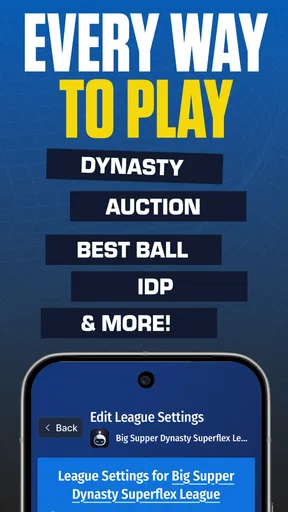
Before downloading, check whether Draft Dominator supports your specific sport and league provider. Compatibility can vary between versions and may include formats such as fantasy football, baseball, basketball, or other supported competitions. Users should also confirm whether their league uses standard, points, categories, dynasty, keeper, auction, or custom scoring, because recommendations are most accurate when the app’s settings closely match the rules of the league being drafted.
Does Draft Dominator connect directly to my fantasy league account?
Draft Dominator may offer league import or account integration features, but availability can depend on the fantasy platform, sport, operating system, and current app version. If direct synchronization is supported, users may need to sign in through an authorized connection or enter league details manually. Review the requested permissions carefully, and avoid assuming that every league provider or private league configuration will be supported automatically.
Is Draft Dominator free to download, or does it require a subscription?
The app may be available as a free download while reserving some advanced tools for in-app purchases, premium access, or a subscription. These paid features can include enhanced projections, expert rankings, live draft assistance, customizable scoring, or additional league support. Pricing and included features can change, so check the current store listing before installing and confirm whether any trial period automatically renews.
Can Draft Dominator be used during a live fantasy draft?
Draft Dominator is intended to be useful both for preparation and, depending on its supported features, during a live draft. Users can generally consult rankings, compare available players, review roster needs, and identify potential value picks. However, it should be treated as a decision-support tool rather than a guarantee of success. Stable internet access, correctly configured league settings, and regular updates are important for reliable recommendations.


